Security Update: Suspected Supply Chain Incident


Status: Active investigation Last updated: March 24, 2026, 2:00 PM ET
LiteLLM AI Gateway is investigating a suspected supply chain attack involving unauthorized PyPI package publishes. Current evidence suggests a maintainer's PyPI account may have been compromised and used to distribute malicious code.
At this time, we believe this incident may be linked to the broader Trivy security compromise, in which stolen credentials were reportedly used to gain unauthorized access to the LiteLLM publishing pipeline.
This investigation is ongoing. Details below may change as we confirm additional findings.
Confirmed affected versions
The following LiteLLM versions published to PyPI were impacted:
- v1.82.7: contained a malicious payload in the LiteLLM AI Gateway
proxy_server.py - v1.82.8: contained
litellm_init.pthand a malicious payload in the LiteLLM AI Gatewayproxy_server.py
If you installed or ran either of these versions, review the recommendations below immediately.
Note: These versions have already been removed from PyPI.
What happened
Initial evidence suggests the attacker bypassed official CI/CD workflows and uploaded malicious packages directly to PyPI.
These compromised versions appear to have included a credential stealer designed to:
- Harvest secrets by scanning for:
- environment variables
- SSH keys
- cloud provider credentials (AWS, GCP, Azure)
- Kubernetes tokens
- database passwords
- Encrypt and exfiltrate data via a
POSTrequest tomodels.litellm.cloud, which is not an official BerriAI / LiteLLM domain
Who is affected
You may be affected if any of the following are true:
- You installed or upgraded LiteLLM via
pipon March 24, 2026, between 10:39 UTC and 16:00 UTC - You ran
pip install litellmwithout pinning a version and received v1.82.7 or v1.82.8 - You built a Docker image during this window that included
pip install litellmwithout a pinned version - A dependency in your project pulled in LiteLLM as a transitive, unpinned dependency (for example through AI agent frameworks, MCP servers, or LLM orchestration tools)
You are not affected if any of the following are true:
LiteLLM AI Gateway/Proxy users: Customers running the official LiteLLM Proxy Docker image were not impacted. That deployment path pins dependencies in requirements.txt and does not rely on the compromised PyPI packages.
- You are using LiteLLM Cloud
- You are using the official LiteLLM AI Gateway Docker image:
ghcr.io/berriai/litellm - You are on v1.82.6 or earlier and did not upgrade during the affected window
- You installed LiteLLM from source via the GitHub repository, which was not compromised
How to check if you are affected
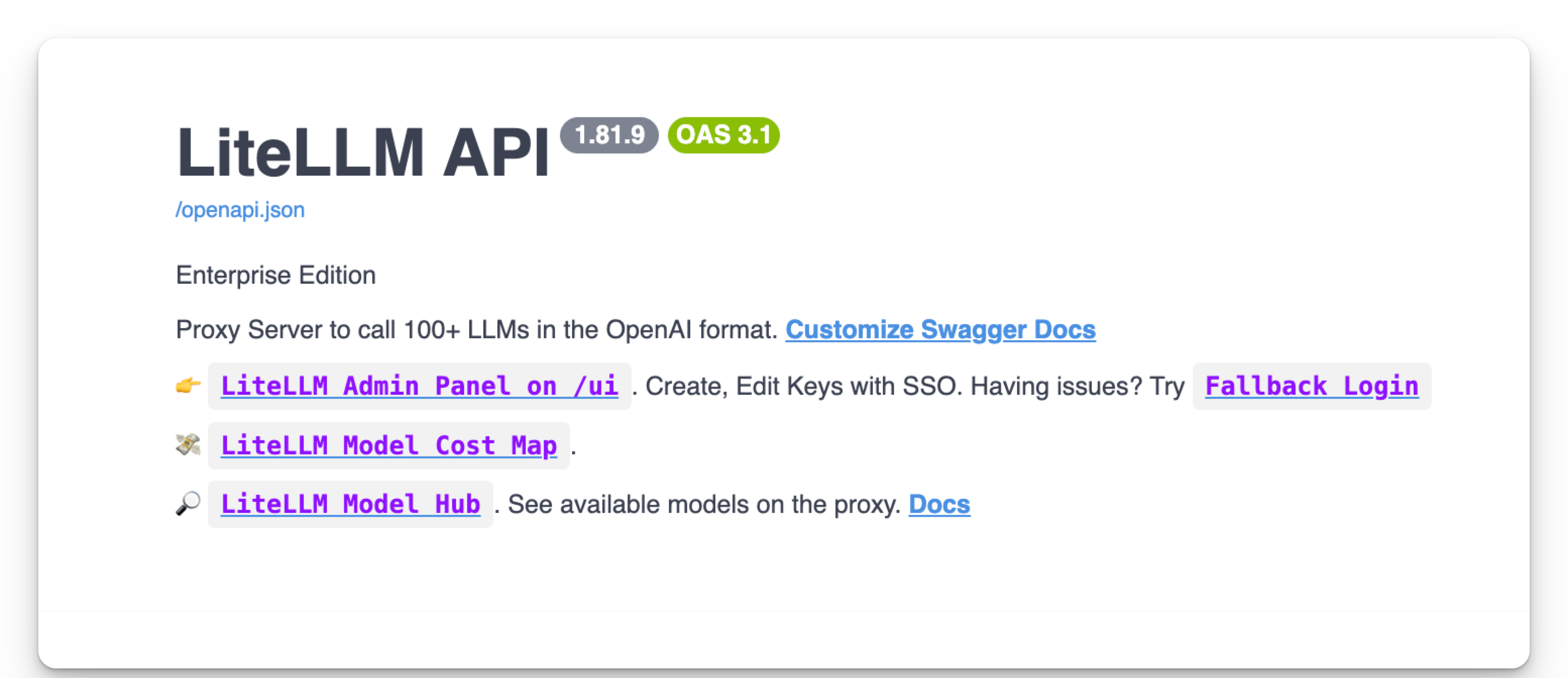
- SDK
- PROXY
pip show litellm
Go to the proxy base url, and check the version of the installed LiteLLM.
Indicators of compromise (IoCs)
Review affected systems for the following indicators:
litellm_init.pthpresent in yoursite-packages- Outbound traffic or requests to
models.litellm[.]cloudThis domain is not affiliated with LiteLLM
Immediate actions for affected users
If you installed or ran v1.82.7 or v1.82.8, take the following actions immediately.
1. Rotate all secrets
Treat any credentials present on the affected systems as compromised, including:
- API keys
- Cloud access keys
- Database passwords
- SSH keys
- Kubernetes tokens
- Any secrets stored in environment variables or configuration files
2. Inspect your filesystem
Check your site-packages directory for a file named litellm_init.pth:
find /usr/lib/python3.13/site-packages/ -name "litellm_init.pth"
If present:
- remove it immediately
- investigate the host for further compromise
- preserve relevant artifacts if your security team is performing forensics
3. Audit version history
Review your:
- Local environments
- CI/CD pipelines
- Docker builds
- Deployment logs
Confirm whether v1.82.7 or v1.82.8 was installed anywhere.
Pin LiteLLM to a known safe version such as v1.82.6 or earlier, or to a later verified release once announced.
Response and remediation
The LiteLLM AI Gateway team has already taken the following steps:
- Removed compromised packages from PyPI
- Rotated maintainer credentials and established new authorized maintainers
- Engaged Google's Mandiant security team to assist with forensic analysis of the build and publishing chain
Questions and support
If you believe your systems may be affected, contact us immediately:
- Security:
security@berri.ai - Support:
support@berri.ai - Slack: Reach out to the LiteLLM team directly
For real-time updates, follow LiteLLM (YC W23) on X.