Azure Model Router
Azure Model Router is a feature in Azure AI Foundry that automatically routes your requests to the best available model based on your requirements. This allows you to use a single endpoint that intelligently selects the optimal model for each request.
Quick Start
Model pattern: azure_ai/model_router/<deployment-name>
import litellm

response = litellm.completion(
    model="azure_ai/model_router/model-router",  # Replace with your deployment name
    messages=[{"role": "user", "content": "Hello!"}],
    api_base="https://your-endpoint.cognitiveservices.azure.com/openai/v1/",
    api_key="your-api-key",
)
Proxy config (config.yaml):
model_list:
  - model_name: model-router
    litellm_params:
      model: azure_ai/model_router/model-router
      api_base: https://your-endpoint.cognitiveservices.azure.com/openai/deployments/model-router/chat/completions?api-version=2025-01-01-preview
      api_key: your-api-key
Key Features
- Automatic Model Selection: Azure Model Router dynamically selects the best model for your request
- Cost Tracking: LiteLLM automatically tracks costs based on the actual model used (e.g.,
gpt-4.1-nano), plus the Model Router infrastructure fee - Streaming Support: Full support for streaming responses with accurate cost calculation
- Simple Configuration: Easy to set up via UI or config file
Model Naming Pattern
Use the pattern: azure_ai/model_router/<deployment-name>
Components:
azure_ai- The provider identifiermodel_router- Indicates this is a Model Router deployment<deployment-name>- Your actual deployment name from Azure AI Foundry (e.g.,azure-model-router)
Example: azure_ai/model_router/azure-model-router
How it works:
- LiteLLM automatically strips the
model_router/prefix when sending requests to Azure - Only your deployment name (e.g.,
azure-model-router) is sent to the Azure API - The full path is preserved in responses and logs for proper cost tracking
LiteLLM Python SDK
Basic Usage
Use the pattern azure_ai/model_router/<deployment-name> where <deployment-name> is your Azure deployment name:
import litellm
import os

response = litellm.completion(
    model="azure_ai/model_router/azure-model-router",  # Use your deployment name
    messages=[{"role": "user", "content": "Hello!"}],
    api_base="https://your-endpoint.cognitiveservices.azure.com/openai/v1/",
    api_key=os.getenv("AZURE_MODEL_ROUTER_API_KEY"),
)

print(response)
Pattern Explanation:
azure_ai- The providermodel_router- Indicates this is a model router deploymentazure-model-router- Your actual deployment name from Azure AI Foundry
LiteLLM will automatically strip the model_router/ prefix when sending the request to Azure, so only azure-model-router is sent to the API.
Streaming with Usage Tracking
import litellm
import os

response = await litellm.acompletion(
    model="azure_ai/model_router/azure-model-router",  # Use your deployment name
    messages=[{"role": "user", "content": "hi"}],
    api_base="https://your-endpoint.cognitiveservices.azure.com/openai/v1/",
    api_key=os.getenv("AZURE_MODEL_ROUTER_API_KEY"),
    stream=True,
    stream_options={"include_usage": True},
)

async for chunk in response:
    print(chunk)
LiteLLM Proxy (AI Gateway)
config.yaml
model_list:
  - model_name: azure-model-router  # Public name for your users
    litellm_params:
      model: azure_ai/model_router/azure-model-router  # Use your deployment name
      api_base: https://your-endpoint.cognitiveservices.azure.com/openai/v1/
      api_key: os.environ/AZURE_MODEL_ROUTER_API_KEY
Note: Replace azure-model-router in the model path with your actual deployment name from Azure AI Foundry.
Start Proxy
litellm --config config.yaml
Test Request
curl -X POST http://localhost:4000/chat/completions \
  -H "Content-Type: application/json" \
  -H "Authorization: Bearer sk-1234" \
  -d '{
    "model": "azure-model-router",
    "messages": [{"role": "user", "content": "Hello!"}]
  }'
Add Azure Model Router via LiteLLM UI
This walkthrough shows how to add an Azure Model Router endpoint to LiteLLM using the Admin Dashboard.
Quick Start
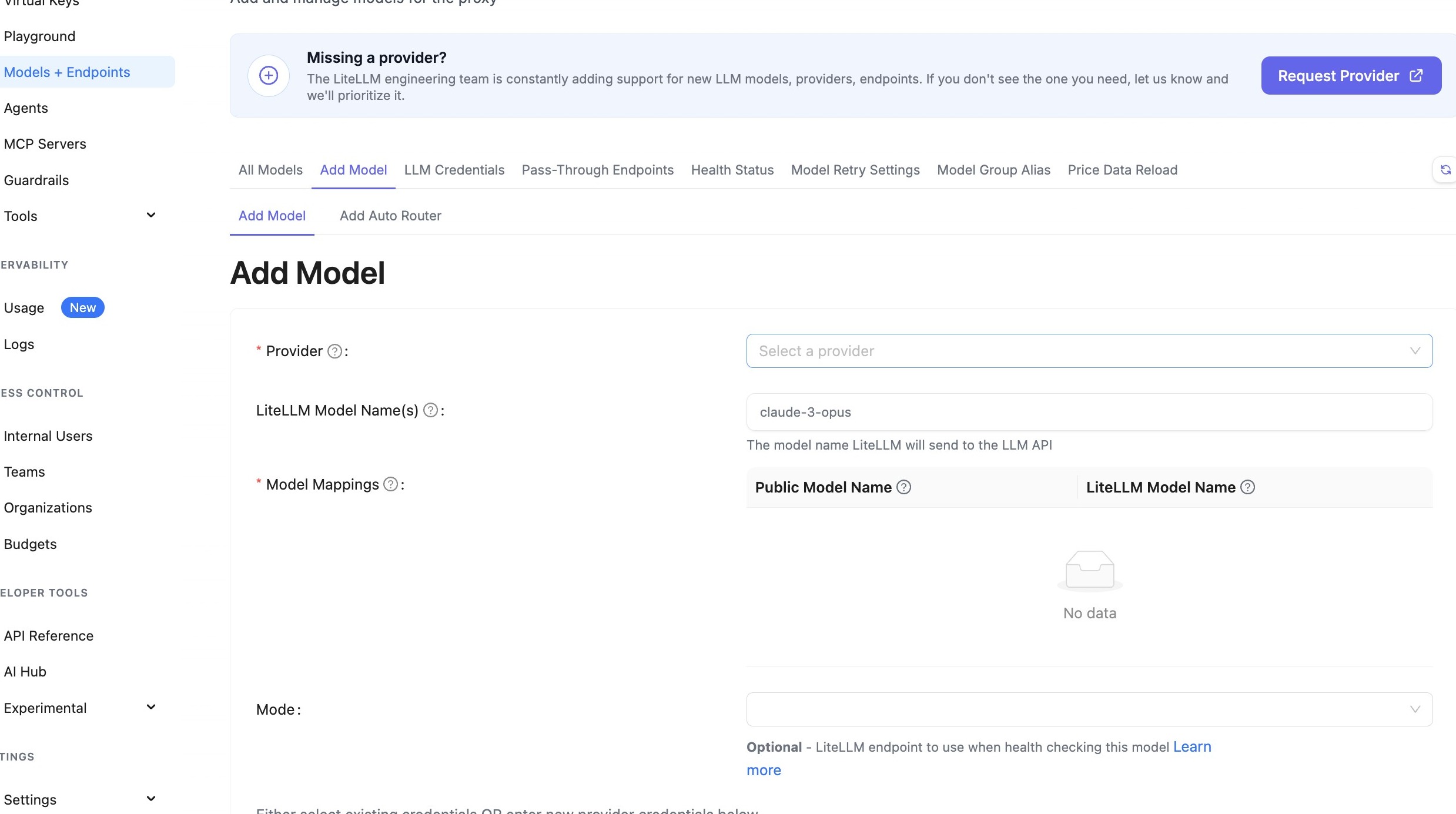
- Navigate to the Models page in the LiteLLM UI
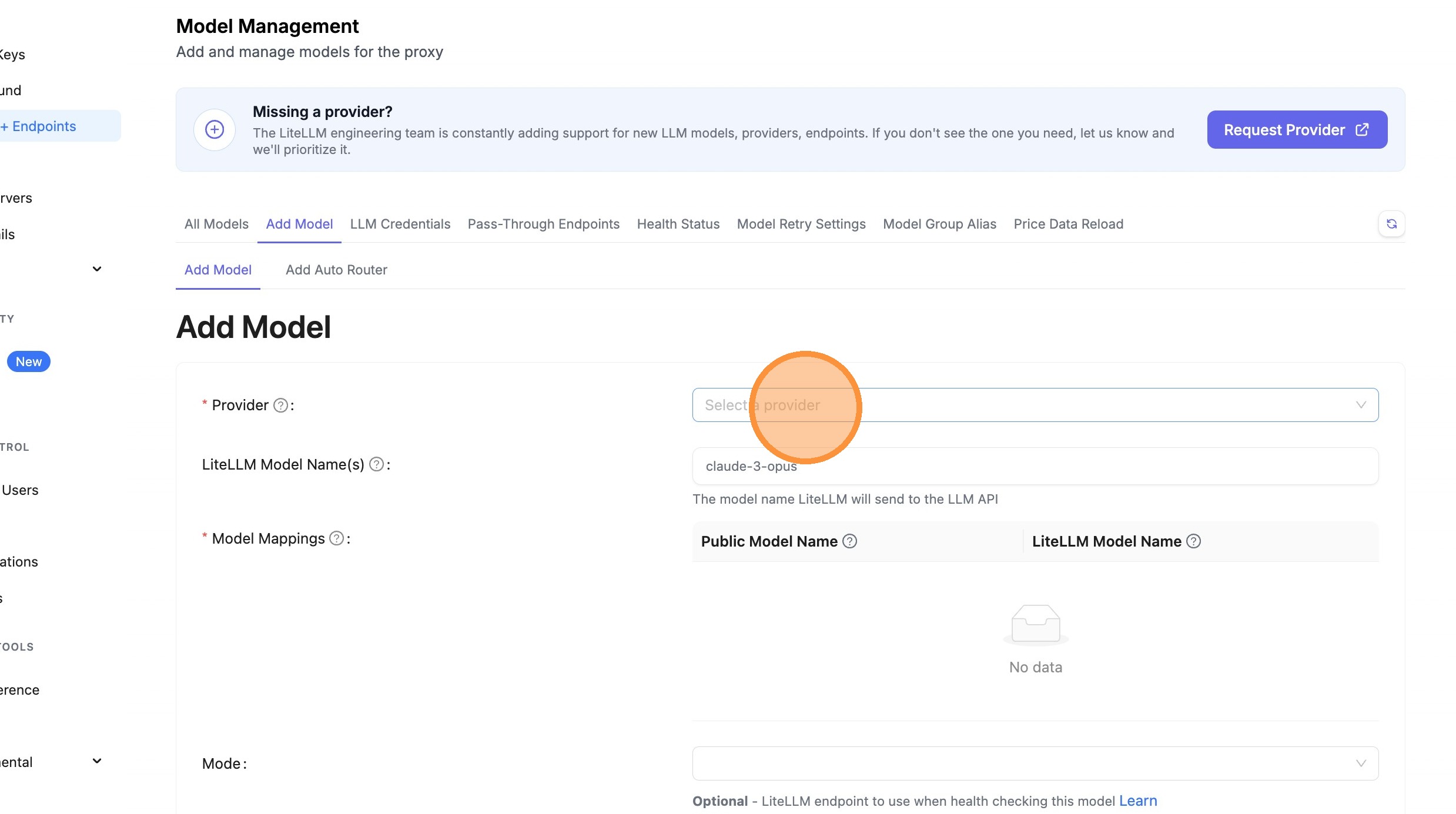
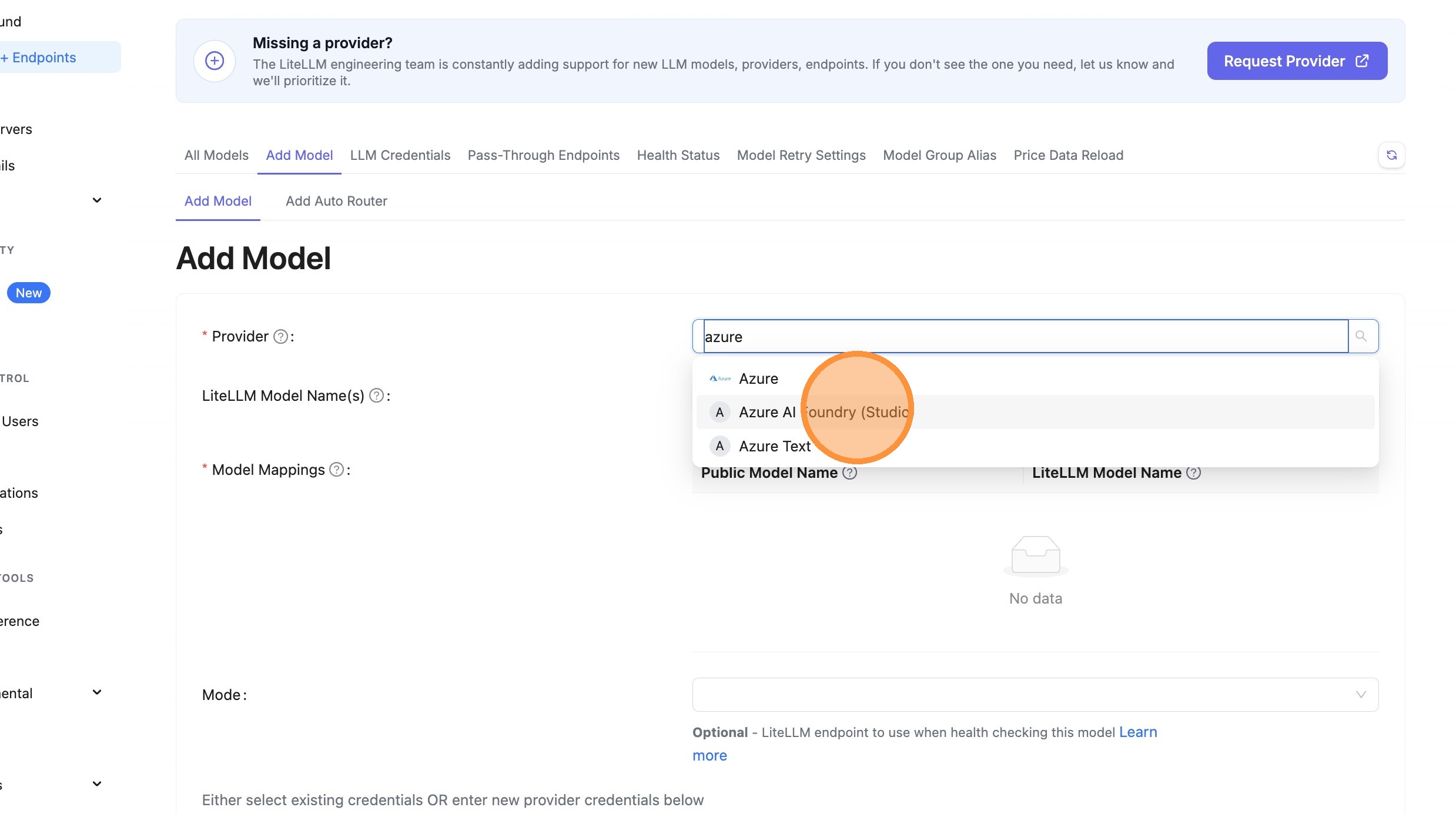
- Select "Azure AI Foundry (Studio)" as the provider
- Enter your deployment name (e.g.,
azure-model-router) - LiteLLM will automatically format it as
azure_ai/model_router/azure-model-router - Add your API base URL and API key
- Test and save
Detailed Walkthrough
Step 1: Select Provider
Navigate to the Models page and select "Azure AI Foundry (Studio)" as the provider.
Navigate to Models Page
Click Provider Dropdown
Choose Azure AI Foundry
Step 2: Enter Deployment Name
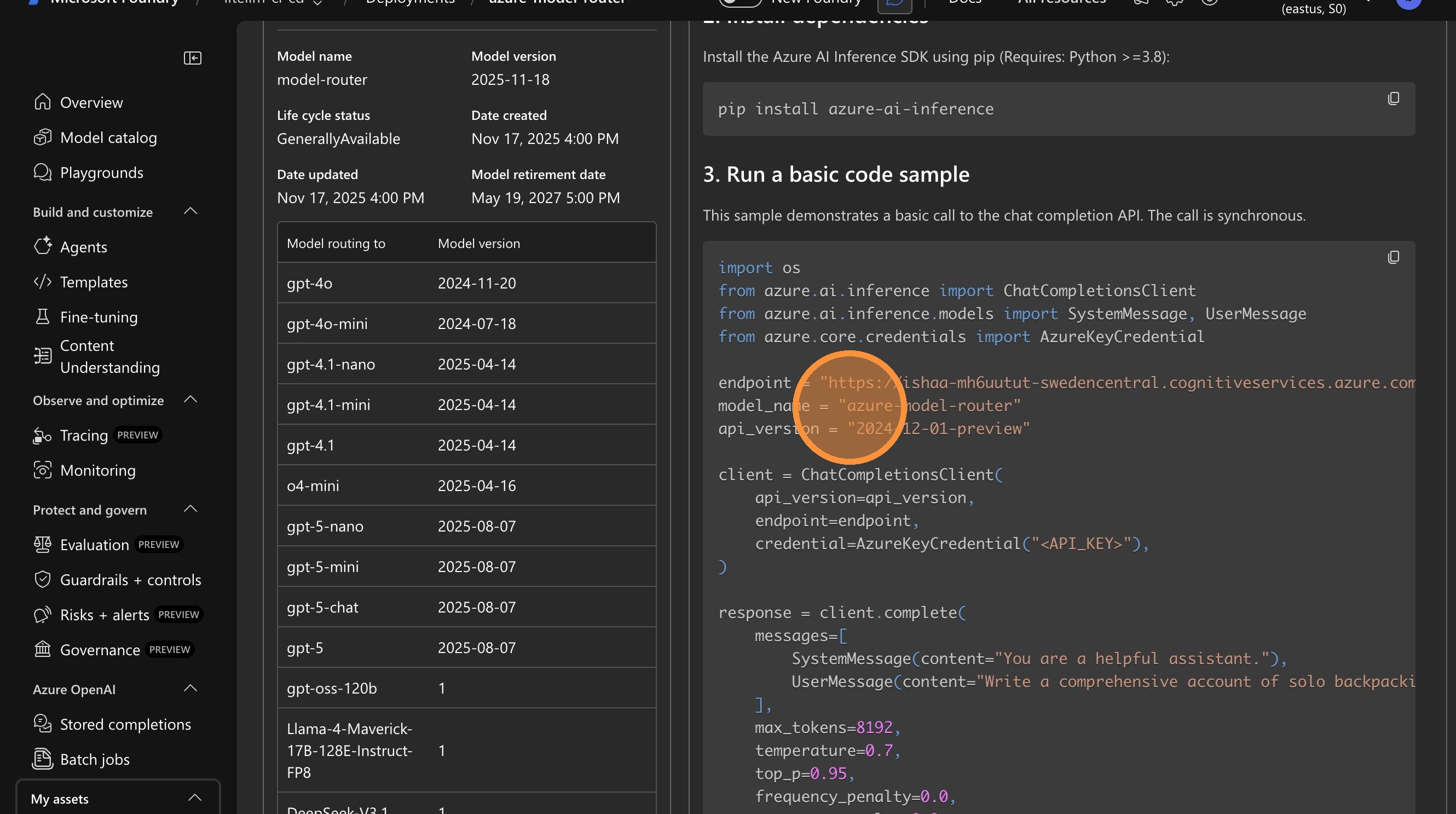
New Simplified Method: Just enter your deployment name directly in the text field. If your deployment name contains "model-router" or "model_router", LiteLLM will automatically format it as azure_ai/model_router/<deployment-name>.
Example:
- Enter:
azure-model-router - LiteLLM creates:
azure_ai/model_router/azure-model-router
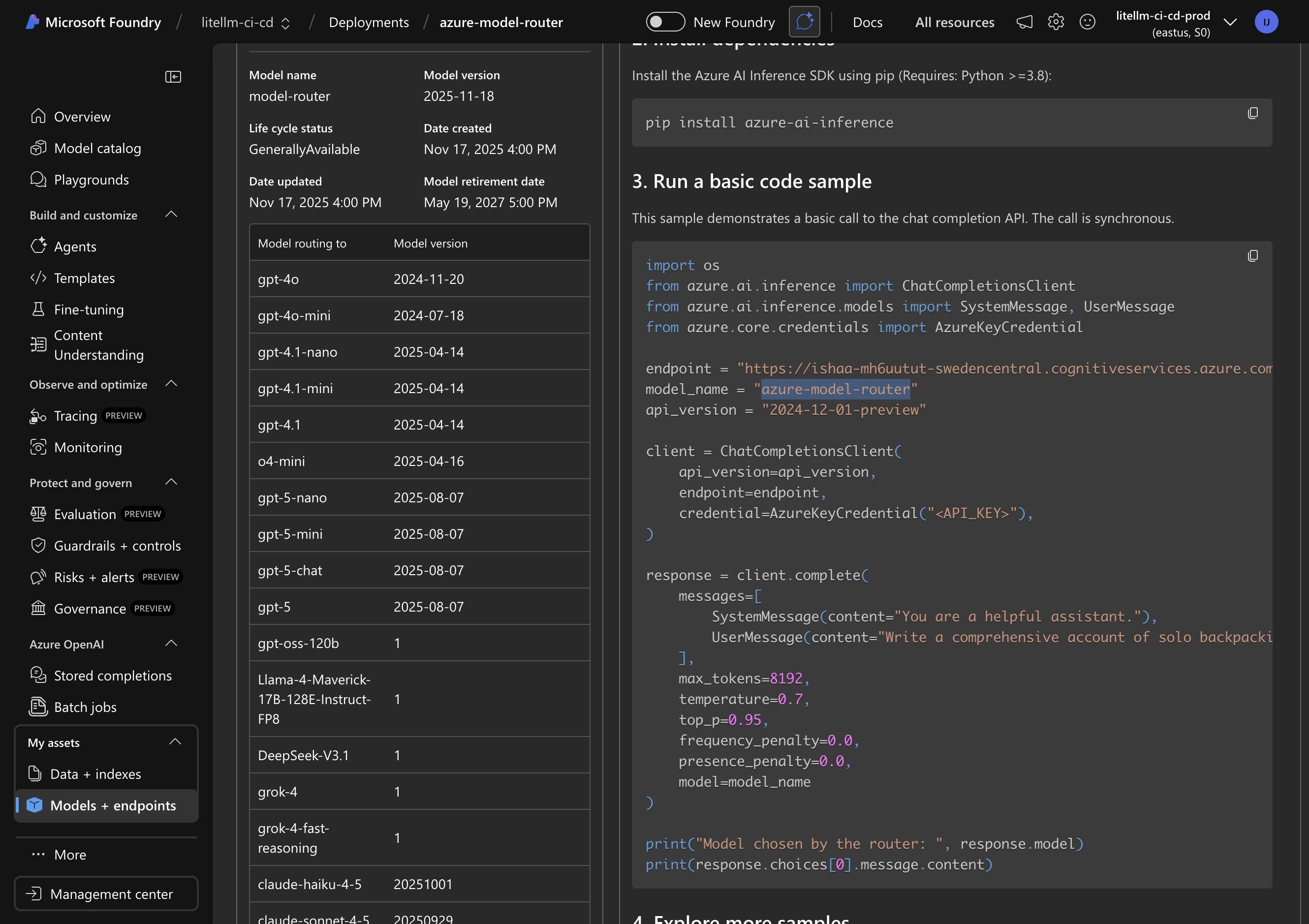
Copy Deployment Name from Azure Portal
Switch to Azure AI Foundry and copy your model router deployment name.
Enter Deployment Name in LiteLLM
Paste your deployment name (e.g., azure-model-router) directly into the text field.
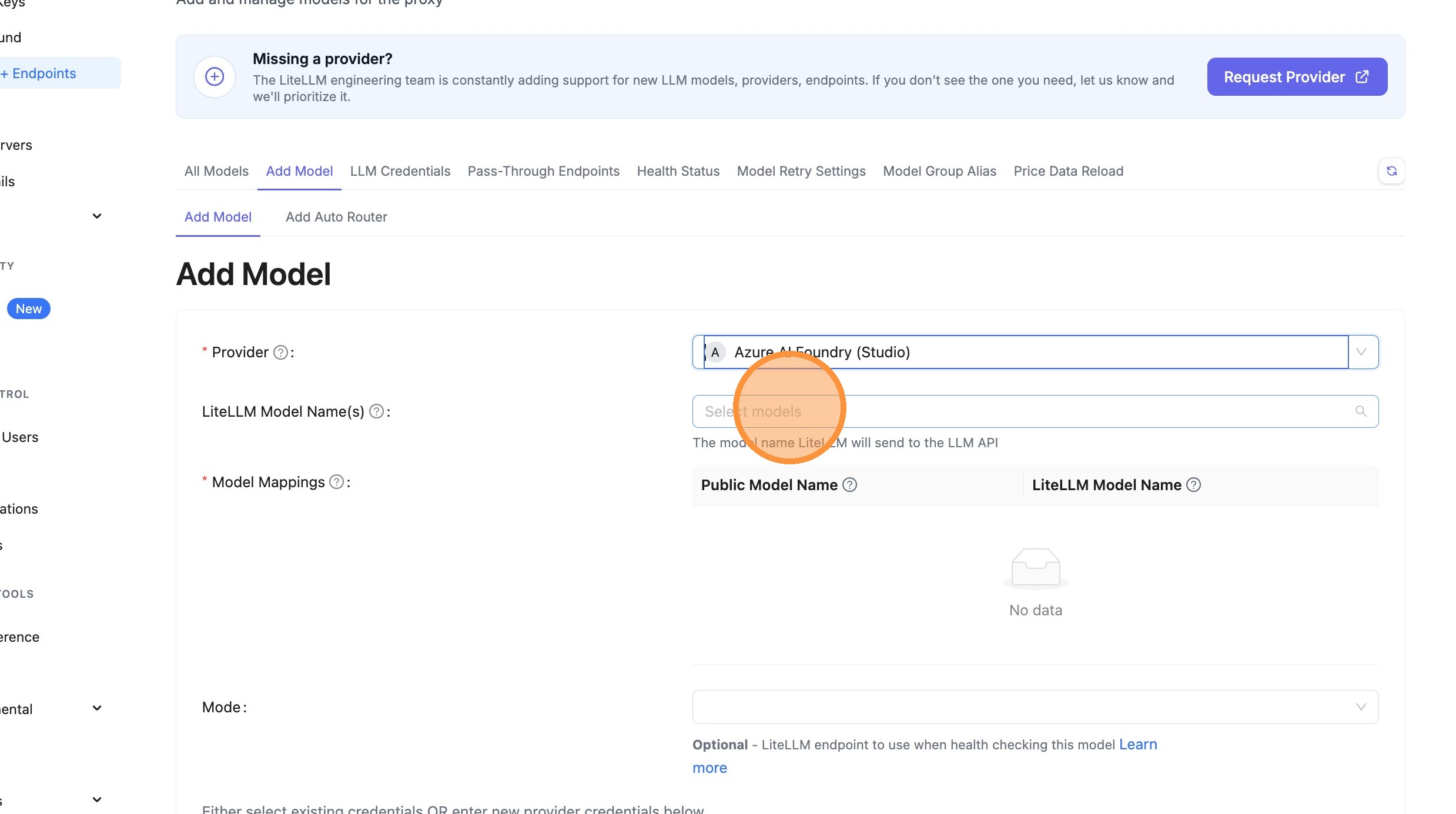
What happens behind the scenes:
- You enter:
azure-model-router - LiteLLM automatically detects this is a model router deployment
- The full model path becomes:
azure_ai/model_router/azure-model-router - When making API calls, only
azure-model-routeris sent to Azure
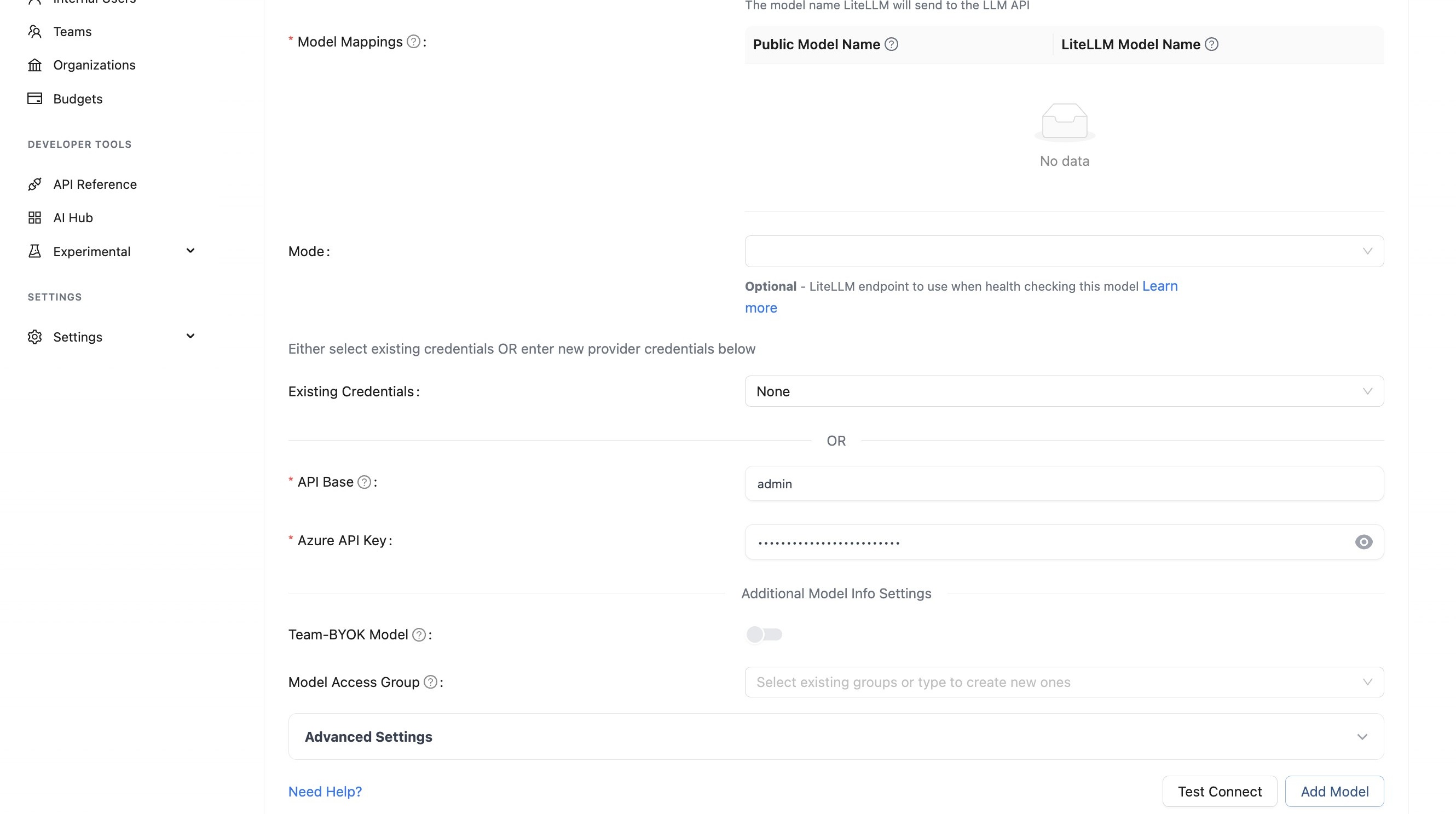
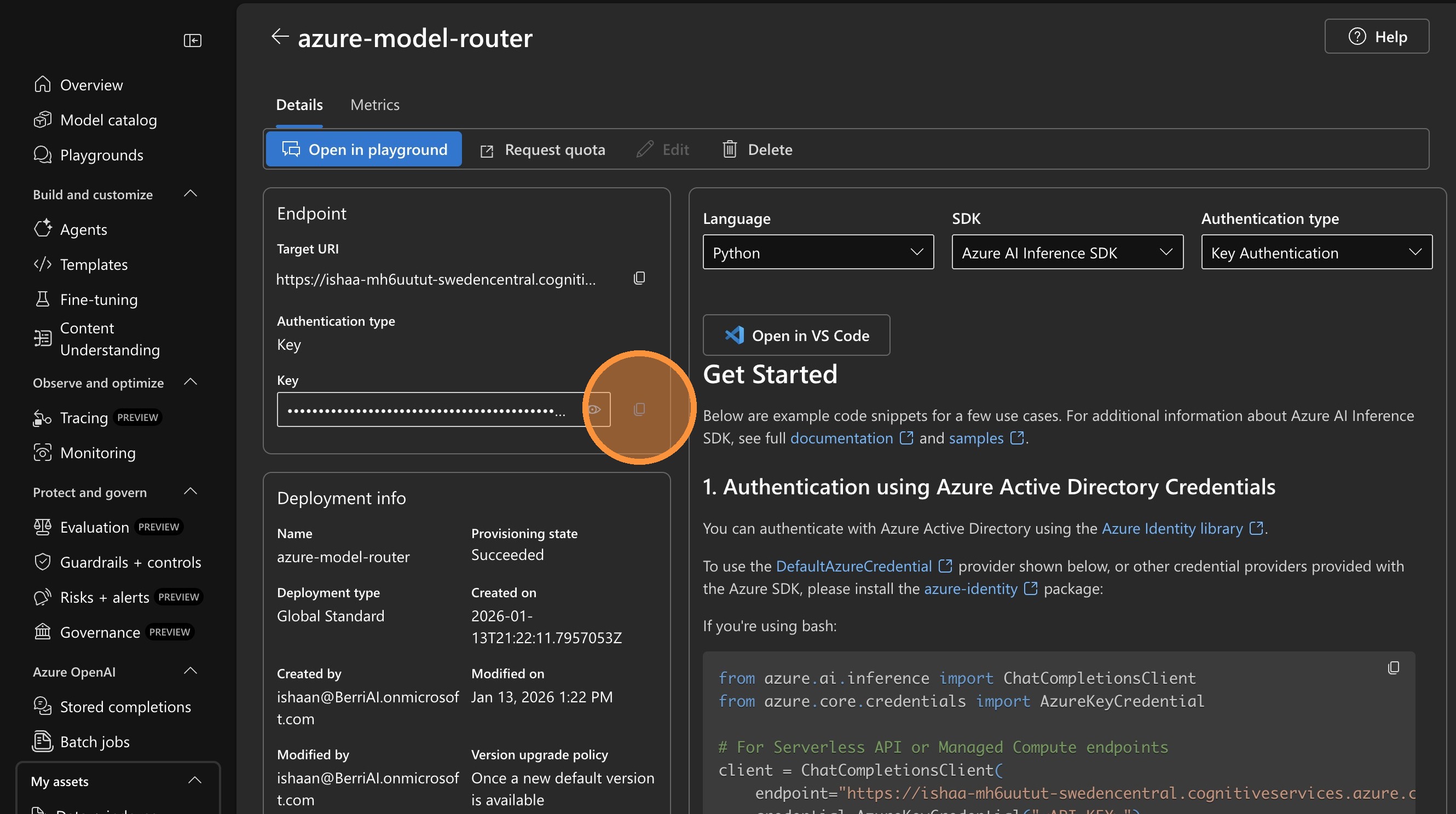
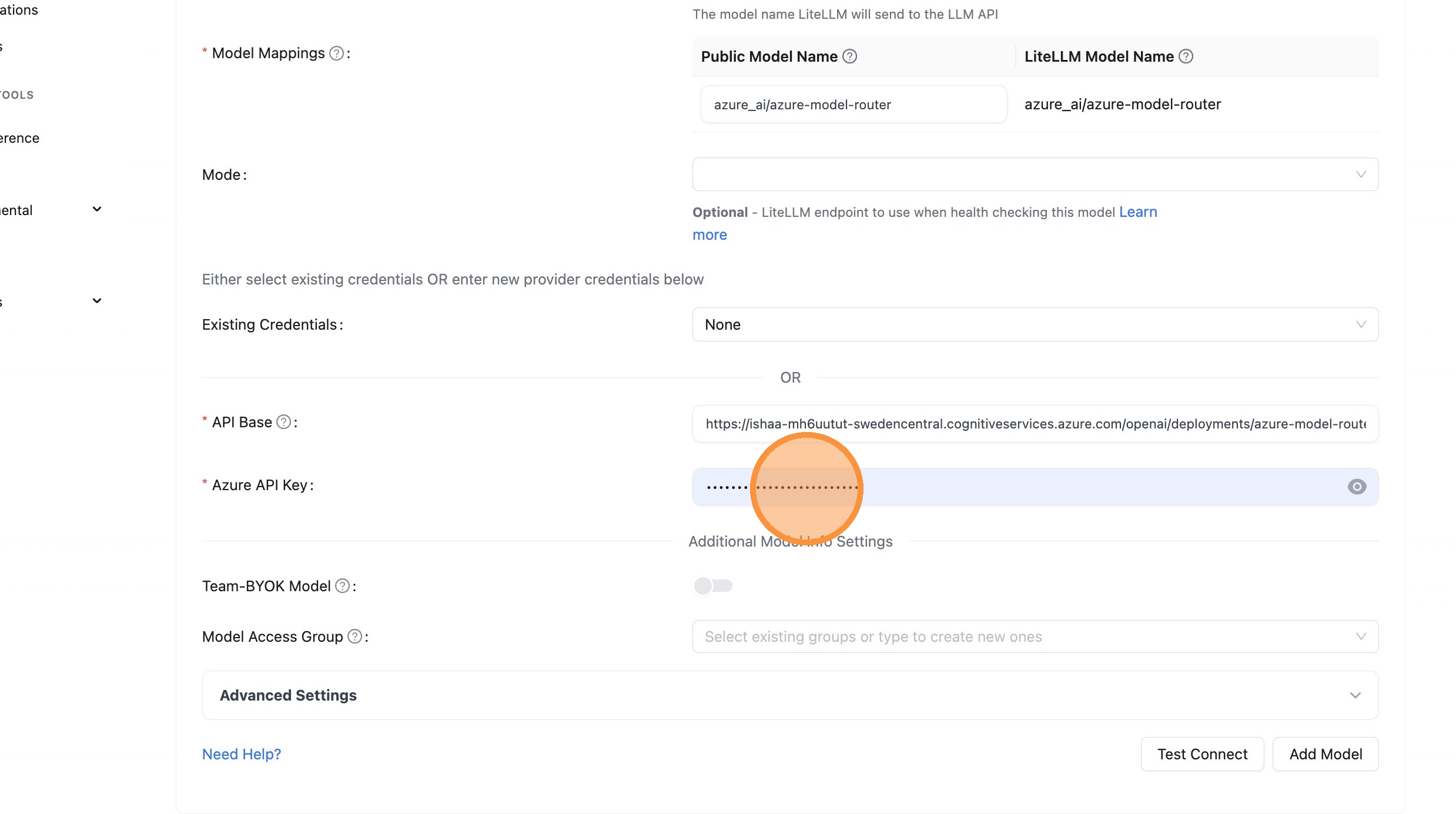
Step 3: Configure API Base and Key
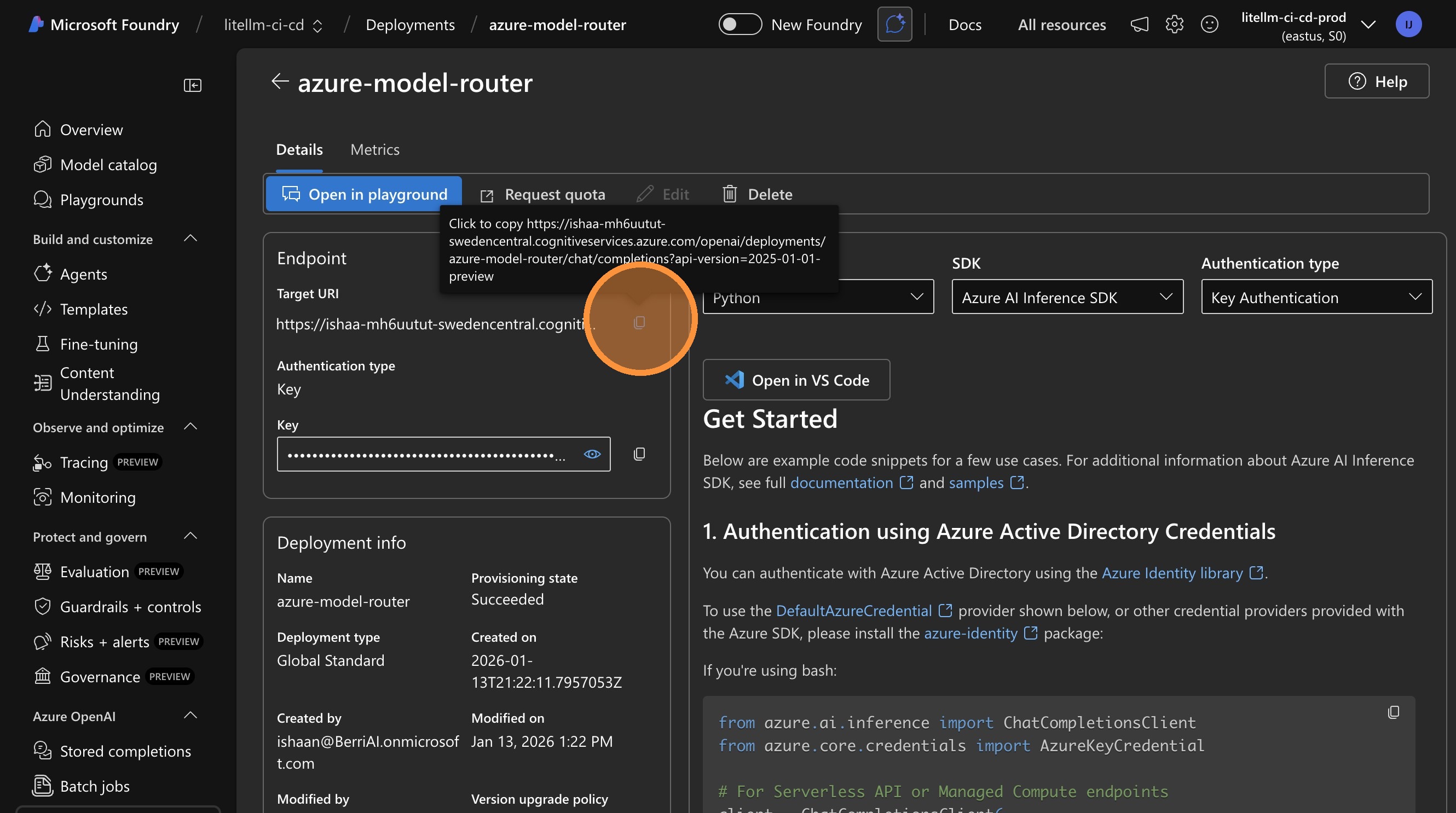
Copy the endpoint URL and API key from Azure portal.
Copy API Base URL from Azure
Enter API Base in LiteLLM
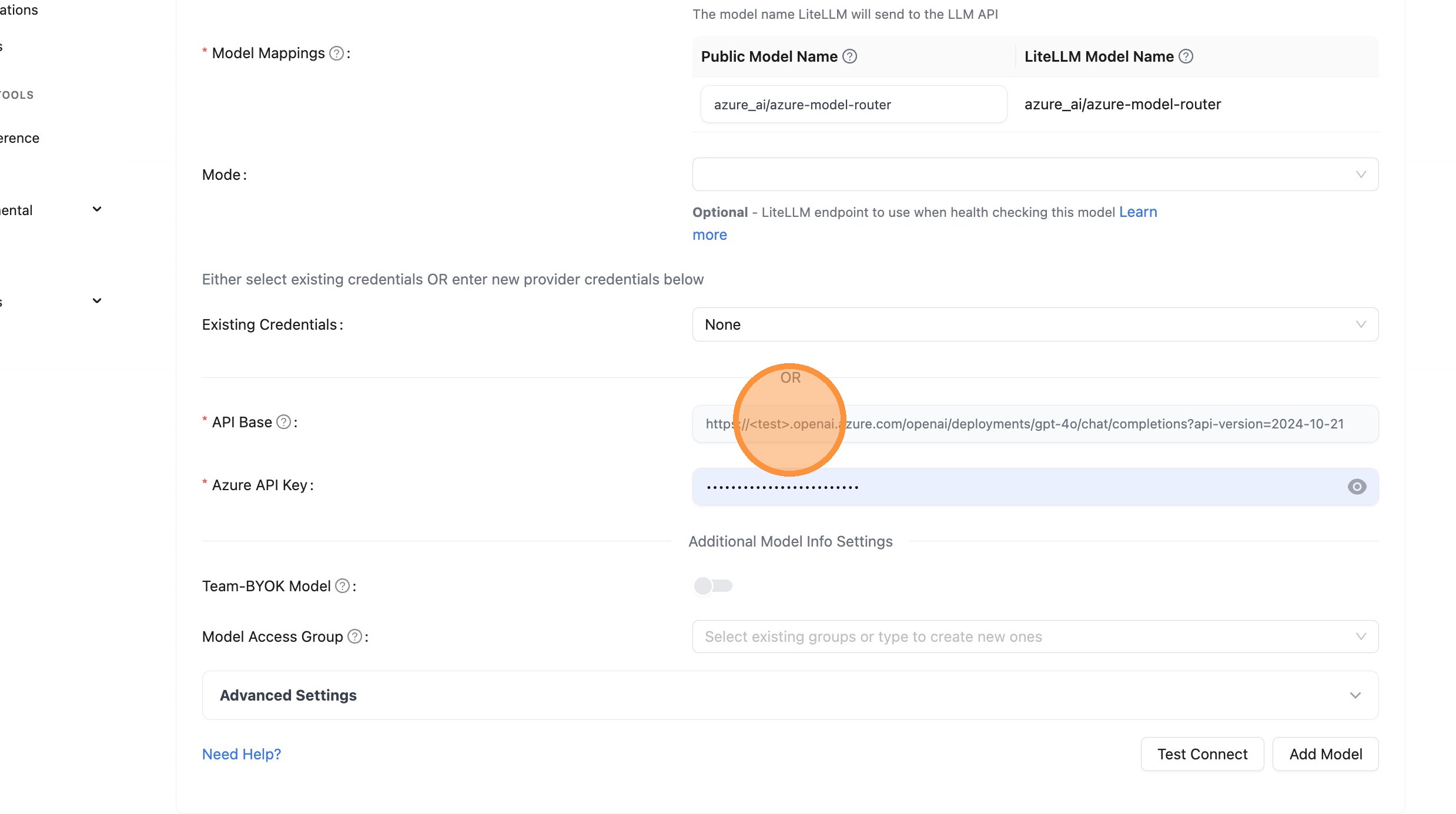
Copy API Key from Azure
Enter API Key in LiteLLM
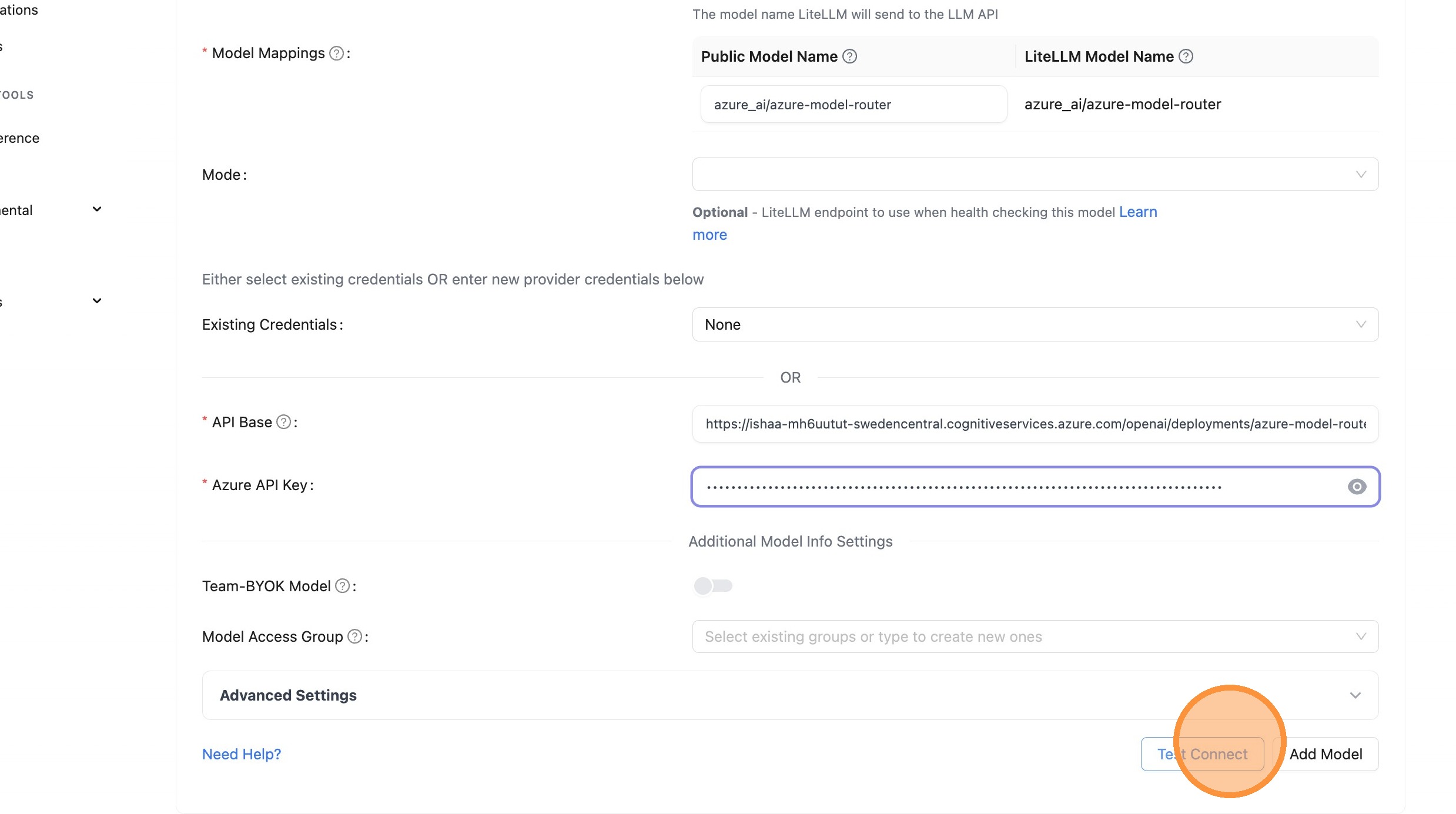
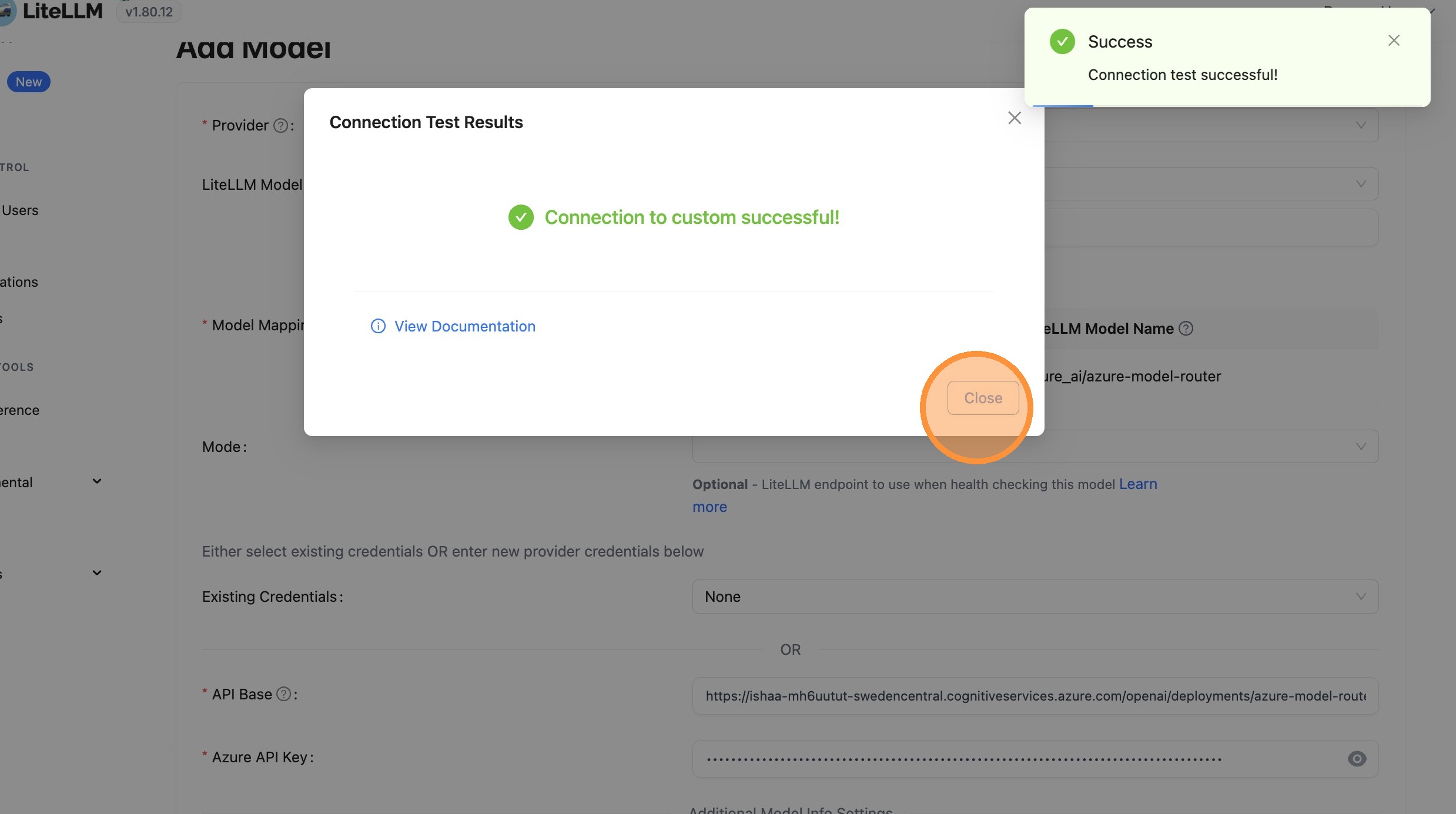
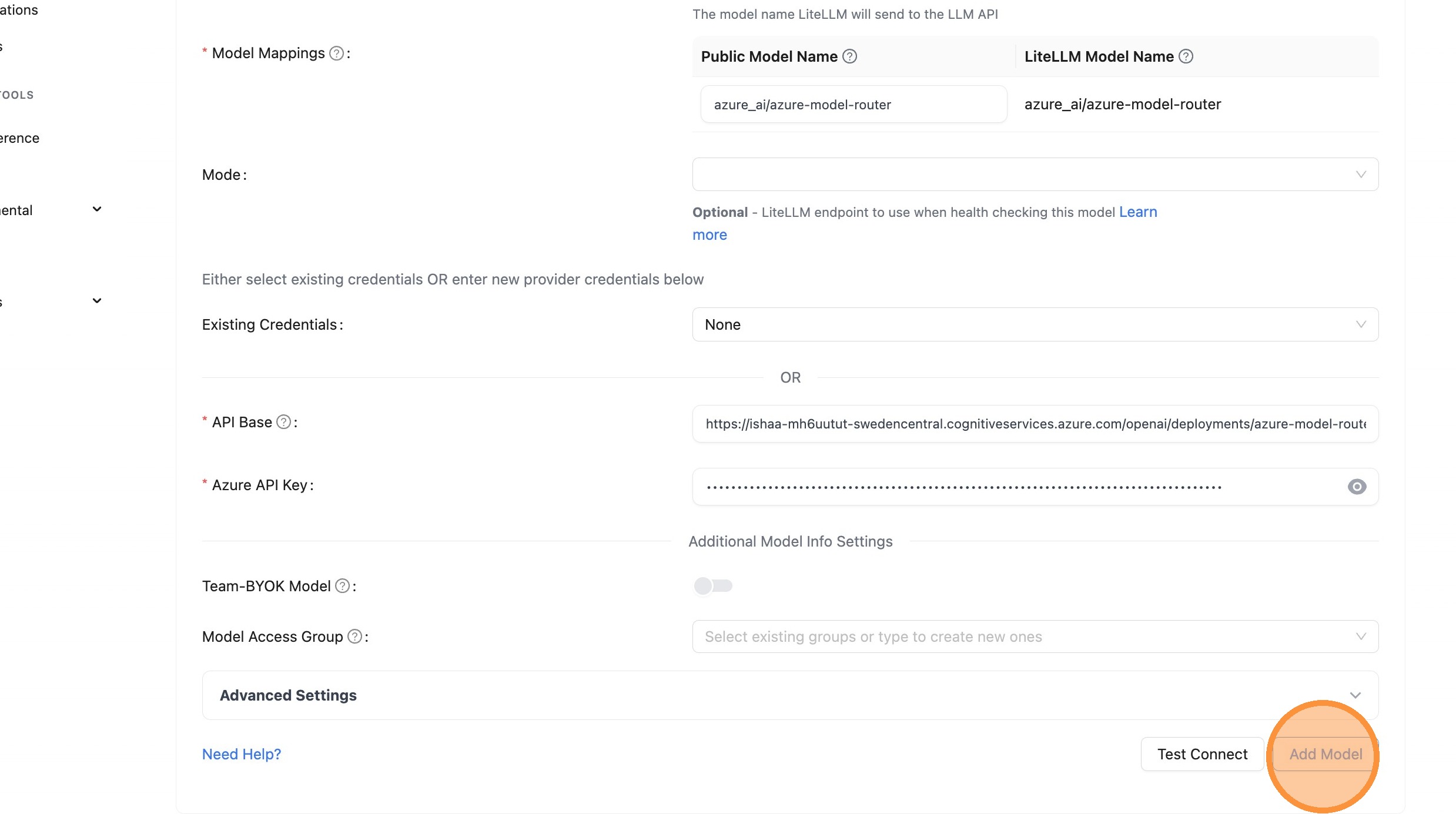
Step 4: Test and Add Model
Verify your configuration works and save the model.
Test Connection
Close Test Dialog
Add Model
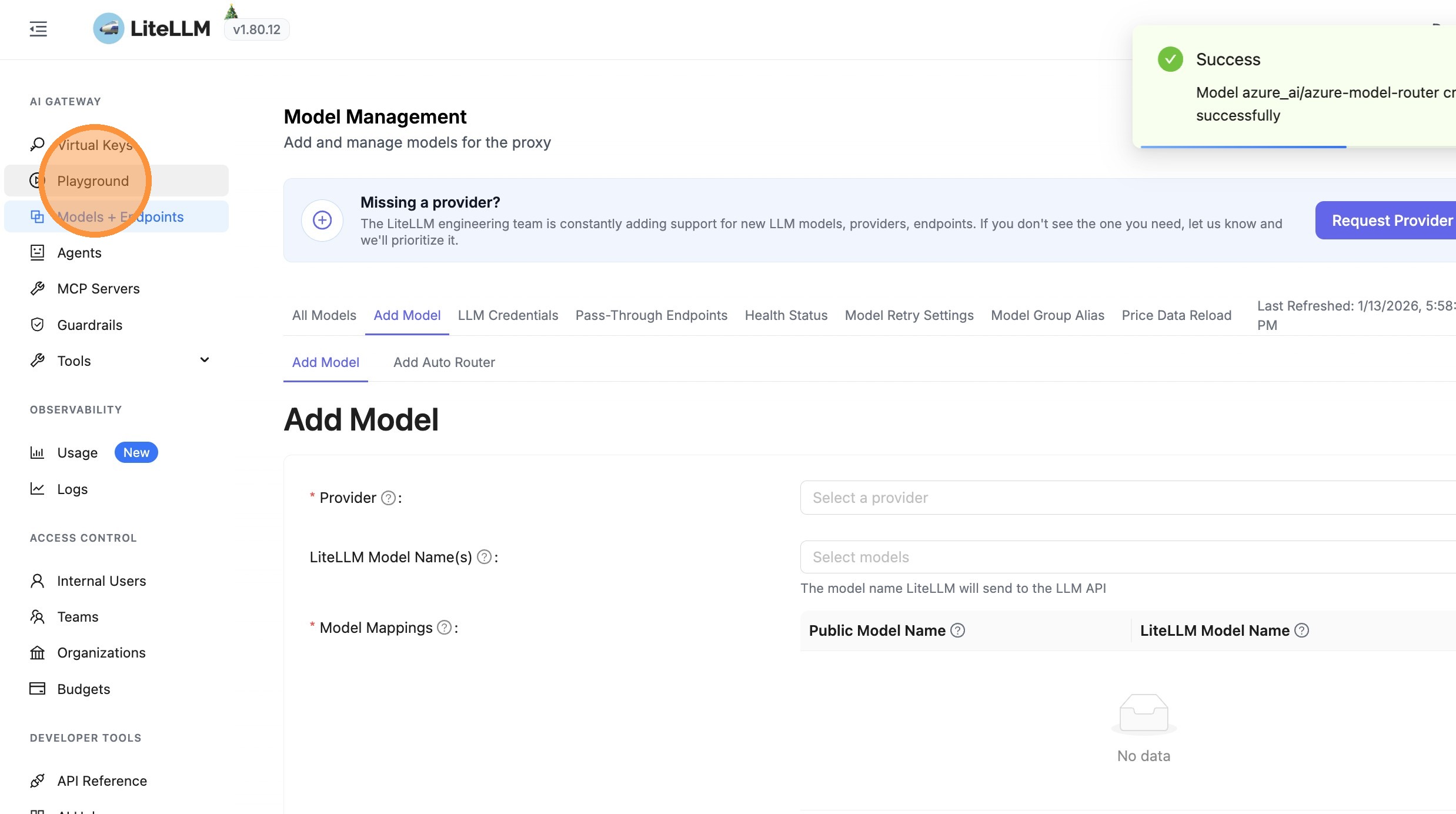
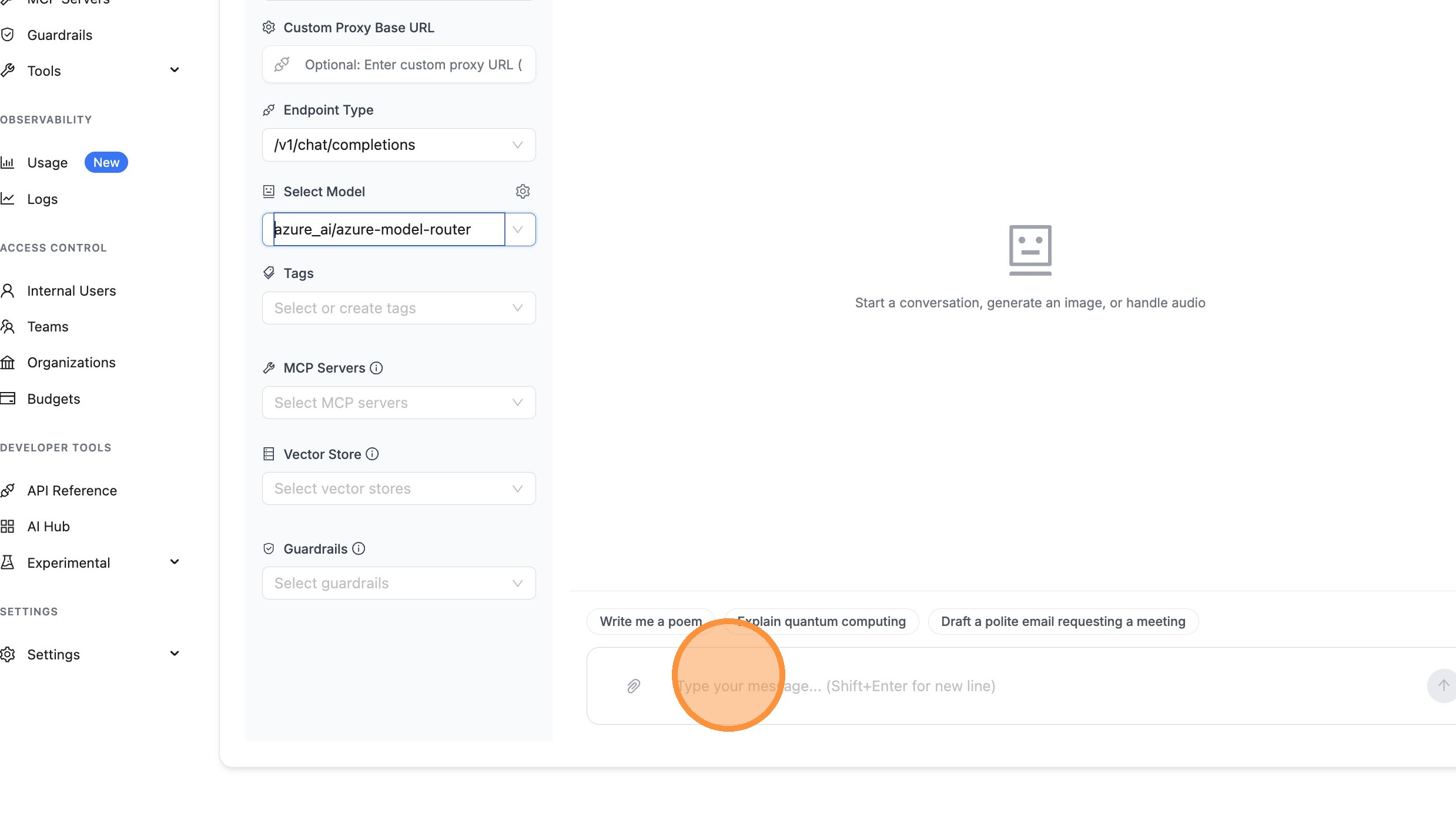
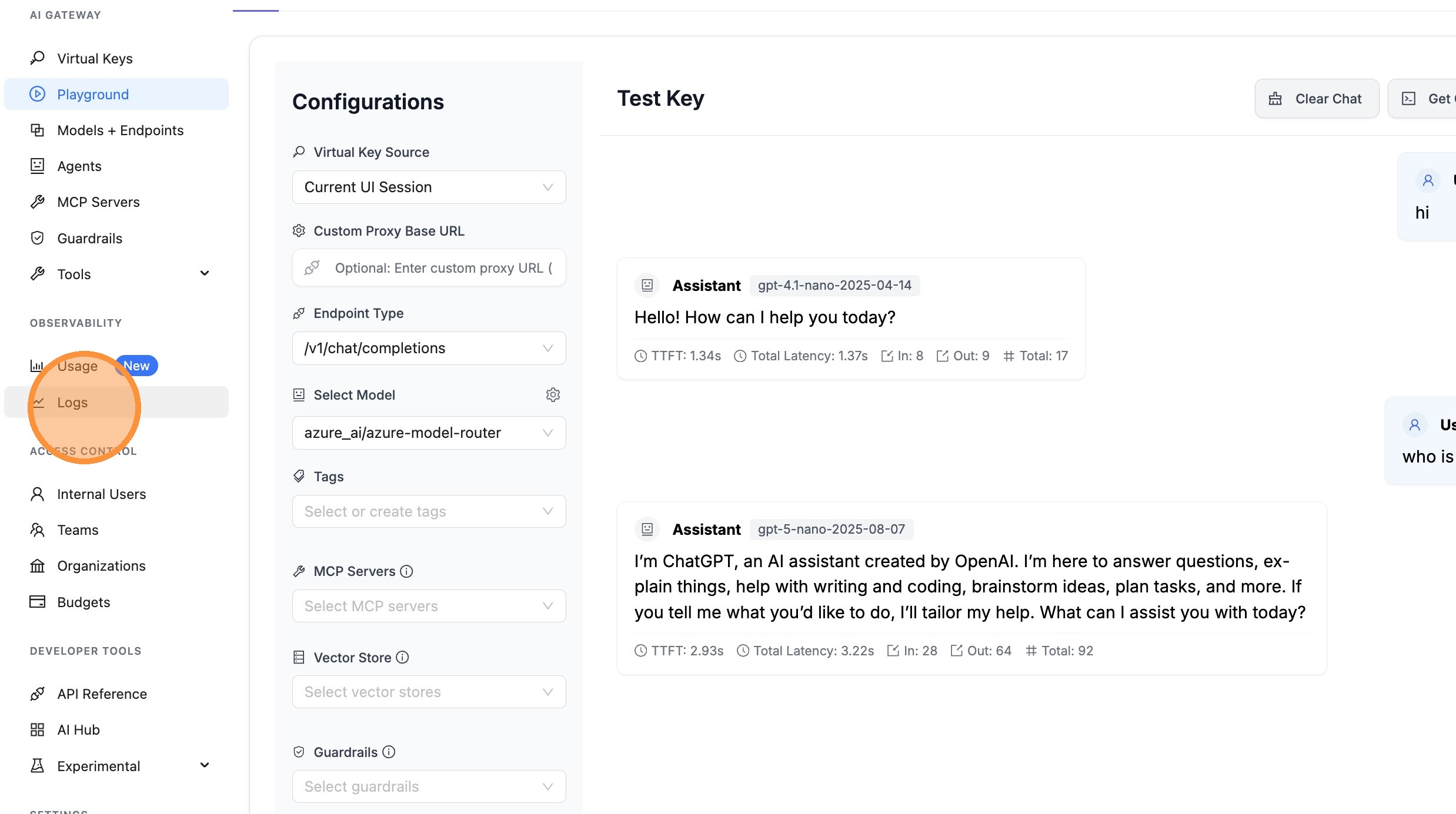
Step 5: Verify in Playground
Test your model and verify cost tracking is working.
Open Playground
Select Model
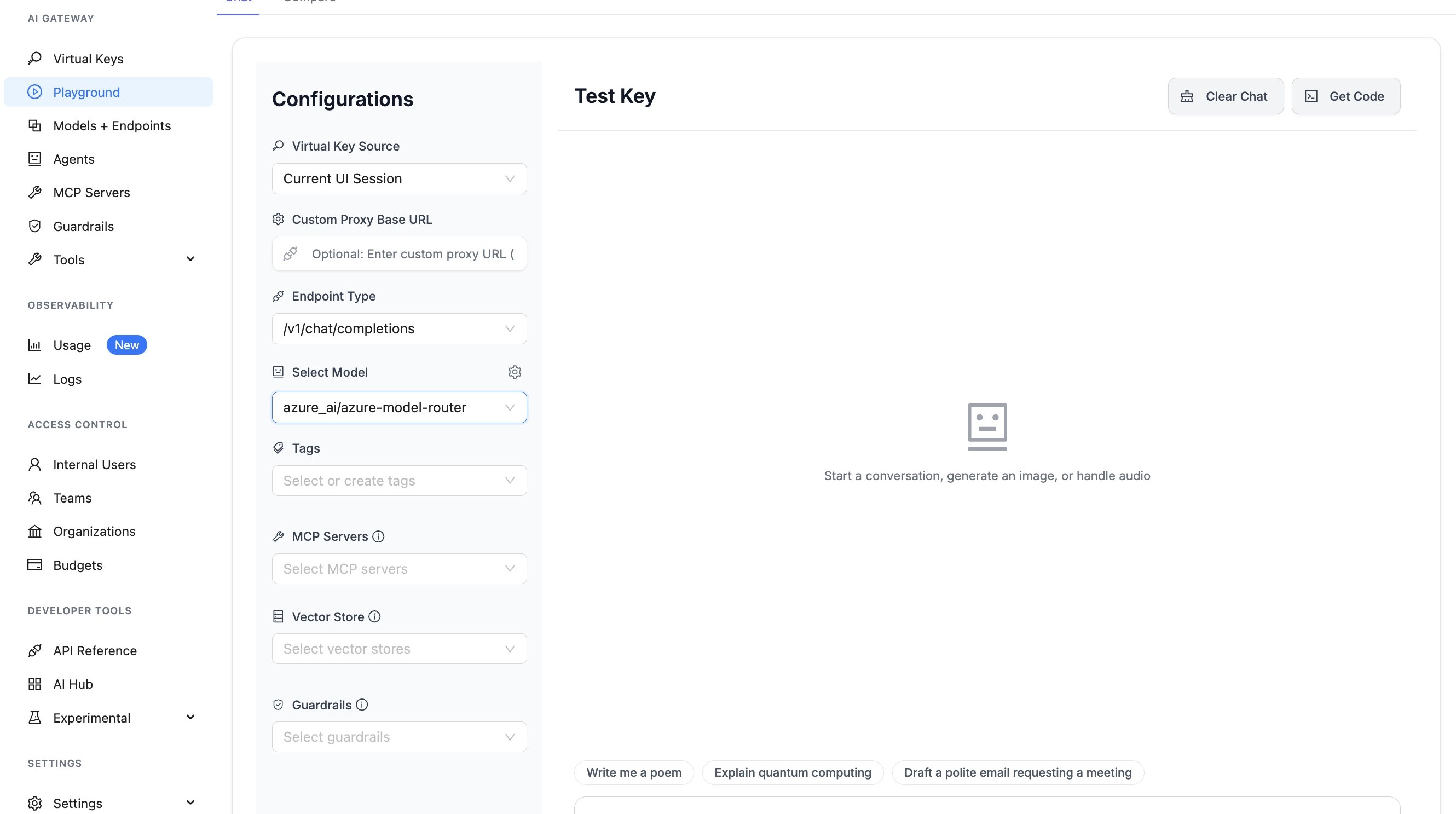
Send Test Message
View Logs
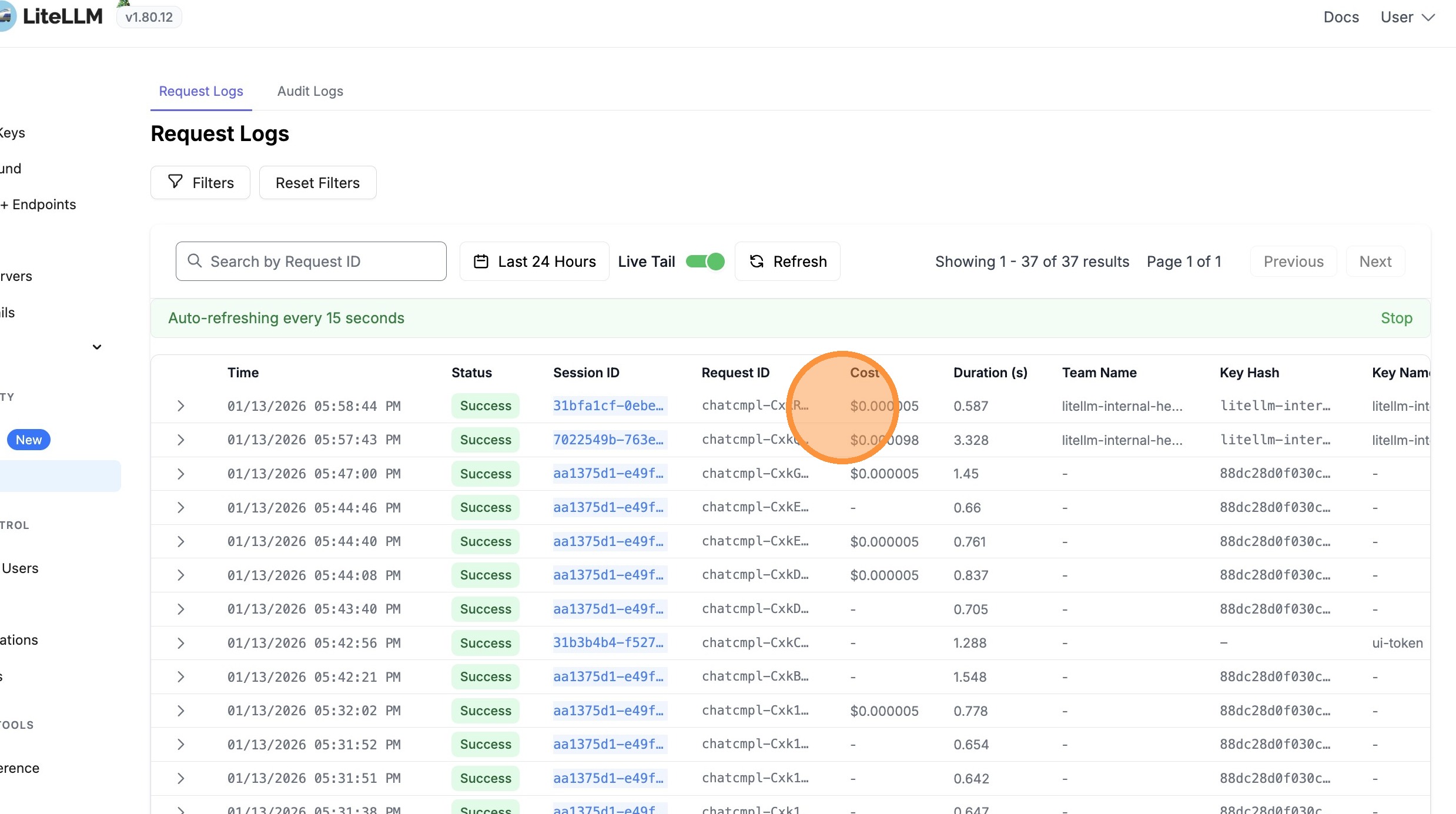
Verify Cost Tracking
Cost is tracked based on the actual model used (e.g., gpt-4.1-nano), plus a flat infrastructure cost of $0.14 per million input tokens for using the Model Router.
Cost Tracking
LiteLLM automatically handles cost tracking for Azure Model Router. Understanding how this works helps you interpret spend and debug billing.
How LiteLLM Calculates Cost
When you use Azure Model Router, LiteLLM computes two cost components:
| Component | Description | When Applied |
|---|---|---|
| Model Cost | Token-based cost for the actual model that handled the request (e.g., gpt-5-nano, gpt-4.1-nano) | Always, when Azure returns the model in the response |
| Router Flat Cost | $0.14 per million input tokens (Azure AI Foundry infrastructure fee) | When the request was made via a model router endpoint |
Cost Calculation Flow
-
Request model detection: LiteLLM records the model you requested (e.g.,
azure_ai/model_router/model-router). If it containsmodel_routerormodel-router, the request is treated as a router request. -
Response model extraction: Azure returns the actual model used in the response (e.g.,
gpt-5-nano-2025-08-07). LiteLLM uses this for the model cost lookup. -
Model cost: LiteLLM looks up the response model in its pricing table and computes cost from prompt tokens and completion tokens.
-
Router flat cost: Because the original request was to a model router, LiteLLM adds the flat cost ($0.14 per M input tokens) on top of the model cost.
-
Total cost:
Total = Model Cost + Router Flat Cost
Configuration Requirements
For cost tracking to work correctly:
- Use the full pattern:
azure_ai/model_router/<deployment-name>(e.g.,azure_ai/model_router/model-router) - Proxy config: When using the LiteLLM proxy, set
modelinlitellm_paramsto the full pattern so the request model is correctly identified as a router
# proxy_server_config.yaml
model_list:
  - model_name: model-router
    litellm_params:
      model: azure_ai/model_router/model-router  # Required for router cost detection
      api_base: https://your-endpoint.cognitiveservices.azure.com/openai/deployments/model-router/chat/completions?api-version=2025-01-01-preview
      api_key: your-api-key
Cost Breakdown
When you use Azure Model Router, the total cost includes:
- Model Cost: Based on the actual model that handled your request (e.g.,
gpt-5-nano,gpt-4.1-nano) - Router Flat Cost: $0.14 per million input tokens (Azure AI Foundry infrastructure fee)
Example Response with Cost
import litellm

response = litellm.completion(
    model="azure_ai/model_router/azure-model-router",
    messages=[{"role": "user", "content": "Hello!"}],
    api_base="https://your-endpoint.cognitiveservices.azure.com/openai/v1/",
    api_key="your-api-key",
)

# The response will show the actual model used
print(f"Model used: {response.model}")  # e.g., "azure_ai/gpt-4.1-nano-2025-04-14"

# Get cost (includes both model cost and router flat cost)
from litellm import completion_cost
cost = completion_cost(completion_response=response)
print(f"Total cost: ${cost}")

# Access detailed cost breakdown
if hasattr(response, '_hidden_params') and 'response_cost' in response._hidden_params:
    print(f"Response cost: ${response._hidden_params['response_cost']}")
Viewing Cost Breakdown in UI
When viewing logs in the LiteLLM UI, you'll see:
- Model Cost: The cost for the actual model used
- Azure Model Router Flat Cost: The $0.14/M input tokens infrastructure fee
- Total Cost: Sum of both costs
This breakdown helps you understand exactly what you're paying for when using the Model Router.